
How Do DMARC, SPF and DKIM Protect Business Email?
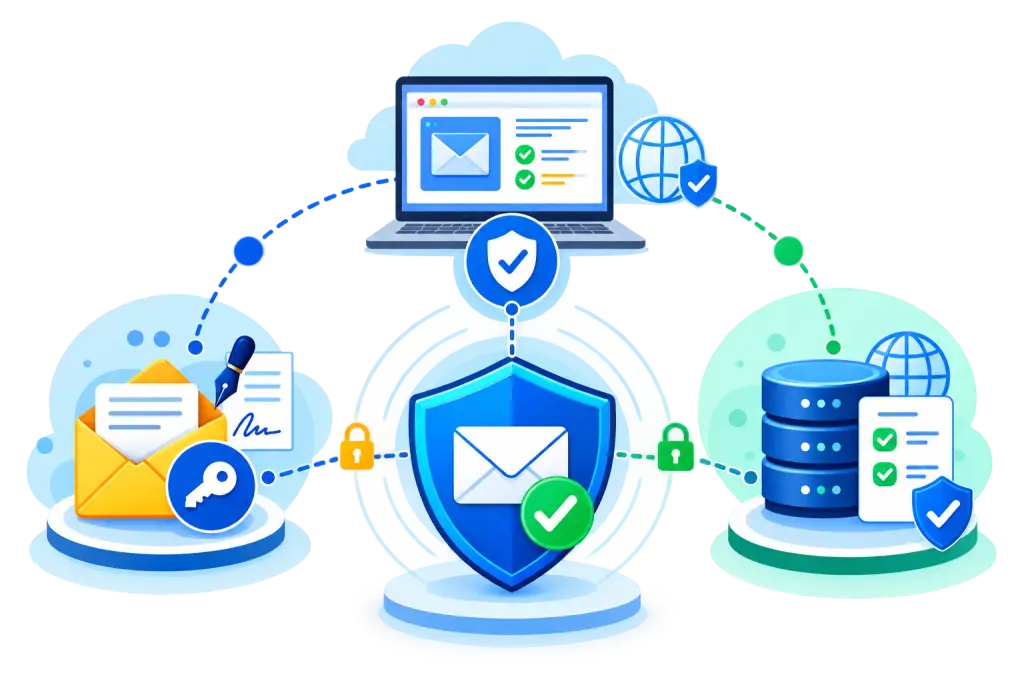
DMARC, SPF and DKIM help receiving email systems confirm whether a message claiming to come from your business domain is properly authenticated. Together, they can reduce domain spoofing, support email deliverability, and give businesses more control over how their domains are used for email.
This guide explains DMARC, SPF and DKIM, what each email authentication standard does, how they work together, common DNS setup mistakes, and practical steps businesses can take to improve their email security.
For an SMB owner, marketing team, or IT administrator, these records are more than technical DNS settings. They can affect email delivery, brand trust, and protection against messages that try to impersonate your company.
When managing several email systems becomes difficult, Franklin Web Technologies can help businesses review their domain and email configuration and identify authentication gaps.
What Are SPF, DKIM and DMARC?
SPF, DKIM and DMARC solve different parts of the email authentication process.
SPF helps identify which systems are allowed to send email for a domain. DKIM adds a digital signature that receiving systems can verify. DMARC connects those authentication results to the domain shown in the visible From address and provides a policy for handling authentication failures.
Using all three provides a stronger foundation than relying on only one authentication method.
What Is SPF?
SPF, or Sender Policy Framework, is a DNS-based email authentication method that lists the systems allowed to send email for a domain.
For example, a business may send email through Microsoft 365, a CRM, and a marketing platform. The SPF record should include the approved services that are allowed to send messages for that domain.
A simplified SPF record might look like:
v=spf1 include:spf.protection.outlook.com include:mail.example.com -allWhen a message reaches a receiving mail server, the server checks the sending IP address against the SPF policy for the email’s envelope sender domain.
The -all part means that sending sources not included in the SPF policy should fail the SPF check.
The exact SPF record will depend on the services your business uses.
SPF is useful, but it has an important limitation. It does not directly authenticate the visible From address that a person normally sees in their inbox. Email forwarding can also cause SPF authentication problems.
This is one reason DKIM and DMARC are important.
What Is DKIM?
DKIM, or DomainKeys Identified Mail, adds a digital signature to outgoing email.
The sending email service uses a private key to create the signature. A matching public key is published in your domain’s DNS records.
A simplified DKIM DNS record may look like:
Host: selector1._domainkey.example.com
Type: TXT

Value: v=DKIM1; k=rsa; p=PUBLIC_KEY_VALUE
When the message reaches another email provider, the receiving system finds the public key in DNS and uses it to verify the DKIM signature.
A valid DKIM result shows that the email contains a valid signature connected to the signing domain. It also helps confirm that the signed parts of the message have not been changed in a way that breaks the signature.
Your email provider normally creates the DKIM keys and provides the DNS information you need to publish.
The selector, key length, hostname, and exact DNS value will depend on your provider.
What Is DMARC?
DMARC, or Domain-based Message Authentication, Reporting and Conformance, connects SPF and DKIM authentication with the domain shown in the visible From address.
For DMARC to pass, at least one supported authentication method must pass with proper domain alignment.
In simple terms:
- SPF can pass and align with the From domain.
- DKIM can pass and align with the From domain.
- If the required authentication and alignment conditions are met, DMARC can pass.
DMARC also allows the domain owner to publish a policy requesting how receiving email systems should treat messages that fail DMARC.
A basic DMARC record could look like:
Host: _dmarc.example.com
Type: TXT

Value: v=DMARC1; p=quarantine; rua=mailto:dmarc@example.com
Common DMARC policies include:
p=none— Used mainly for monitoring. No quarantine or rejection action is requested by the DMARC policy.p=quarantine— Requests that messages failing DMARC be treated as suspicious.p=reject— Requests the strongest handling for messages that fail DMARC.
Receiving providers can still use their own spam, security, reputation, and filtering systems when deciding what to do with a message.
DMARC reports can also give domain administrators useful information about which systems are sending email using their domain and where authentication problems may exist.
What Changed With DMARC in 2026?
DMARC guidance was updated in 2026 with the publication of RFC 9989, the current Standards Track specification for DMARC.
One important point is that businesses should not think of p=reject as the automatic final step for every domain.
Strict rejection can create problems with some legitimate email flows, including forwarded messages and mailing lists. For this reason, a business should understand how its email is being sent and forwarded before using a strict DMARC policy.
The safest approach is to review legitimate sending systems, monitor authentication results, fix alignment problems, and then decide which DMARC policy makes sense for the domain.
This is especially important for businesses using several email platforms, third-party senders, automated systems, forwarding services, or mailing lists.
How SPF, DKIM and DMARC Work Together
SPF, DKIM and DMARC are connected email authentication methods rather than competing technologies.
A simplified process looks like this:
Business sends email
        |
        v
Receiving mail server receives message
        |
        +----------------------+
        |                      |
        v                      v
     SPF check             DKIM check
        |                      |
        +----------+-----------+
                   |
                   v
            DMARC alignment
                   |
                   v
       Does SPF or DKIM pass
         with proper alignment?
                   |
          +--------+--------+
          |                 |
         YES                NO
          |                 |
          v                 v
 Authentication passes   Review DMARC policy
                         and receiver security
                              rules
The key point is that DMARC does not replace SPF or DKIM.
Instead, DMARC uses authentication results and checks whether the authenticated domain properly aligns with the domain shown in the From address.
Together, these technologies provide stronger email spoofing protection for domains used by employees, sales teams, customer service departments, marketing systems, and automated business applications.
A Practical SPF, DKIM and DMARC DNS Example
Consider a business using example.com for employee email while also using a separate provider to send newsletters.
Its DNS configuration might include the following records.
SPF
example.com TXT
v=spf1 include:spf.protection.outlook.com include:newsletter-provider.com -all
The SPF record identifies the approved sending services.
DKIM
selector1._domainkey.example.com TXT
v=DKIM1; k=rsa; p=PUBLIC_KEY_VALUE
The DKIM record provides the public key that receiving systems can use to verify signed email.
DMARC
_dmarc.example.com TXT
v=DMARC1; p=quarantine; rua=mailto:dmarc@example.com
The DMARC record publishes the domain’s policy and provides an address where supported aggregate reports may be sent.
These are simplified examples only.
The actual DNS values should come from your email provider, CRM, marketing platform, or other sending service. Copying an SPF, DKIM, or DMARC record from another company’s domain can cause authentication or delivery problems.
SPF vs DKIM vs DMARC
| Standard | Main Purpose | Published In | Main Check | Policy Control |
|---|---|---|---|---|
| SPF | Identifies approved sending infrastructure | DNS TXT | Sending IP and envelope sender | No |
| DKIM | Adds a verifiable domain signature | DNS TXT | Digital message signature | No |
| DMARC | Connects authentication with From-domain alignment | DNS TXT | SPF/DKIM alignment | Yes |
The three standards perform different jobs.
SPF helps answer:
“Is this sending system authorized?”
DKIM helps answer:
“Does this message have a valid signature connected to the signing domain?”
DMARC adds another question:
“Does the authentication align with the domain shown in the From address, and what policy has the domain owner requested if it fails?”
This is why businesses should normally consider SPF, DKIM, and DMARC as parts of one email authentication strategy.
Common SPF, DKIM and DMARC Configuration Mistakes
DNS changes may look simple, but small configuration errors can affect legitimate business email.
Here are some of the most common problems.
Creating Multiple SPF Records
A domain should have one SPF policy record.
Creating separate SPF policy records for Microsoft 365, a CRM, a newsletter service, and other providers does not create several policies that automatically work together.
Instead, legitimate sending services generally need to be included in one SPF policy.
SPF also limits the number of DNS lookups that can be triggered during evaluation. The standard limit is 10 DNS-based lookups.
A complex SPF record that goes beyond this limit can create authentication failures.
Forgetting Third-Party Email Platforms
A business may correctly configure authentication for Microsoft 365 or Google Workspace but forget other services that also send email.
These may include:
- CRM systems
- Newsletter platforms
- Website contact forms
- Customer support systems
- Accounting platforms
- Booking software
- Ecommerce systems
- Automated notification tools
If these services are not properly configured, legitimate messages may fail authentication.
Create a complete list of every system that sends email using your domain before making major DNS changes.
Publishing the Wrong DKIM Record
DKIM depends on the correct selector, hostname, and public key.
Using the wrong selector, copying an incomplete key, publishing it under the wrong hostname, or missing part of the DNS value can cause DKIM verification to fail.
Follow the setup instructions provided by your email or sending provider.
Moving Too Quickly to a Strict DMARC Policy
A strict DMARC policy may be useful in some environments, but applying it without understanding your legitimate mail flows can cause delivery problems.
Forwarding, mailing lists, and third-party sending platforms can make authentication more complex.
Begin by understanding your sending environment and reviewing DMARC data before applying stronger enforcement.
Forgetting About Subdomains
Businesses often use subdomains for marketing, support, transactions, and automated email.
Examples include:
mail.example.com
support.example.com
news.example.com
Review how your DMARC policy applies to these subdomains.
Also make sure that every service sending from a subdomain has the correct SPF and DKIM configuration where required.
Leaving Old Sending Services in DNS
Businesses often change CRM, newsletter, or email providers but forget to remove the old service from their SPF configuration.
Leaving unused sending systems authorized can create unnecessary risk and make your DNS configuration harder to manage.
Review your records regularly and remove services you no longer use.
How Businesses Can Set Up Email Authentication
Do not start by changing several DNS records at the same time.
Start by identifying every system that sends email using your business domain.
This may include employee email, website forms, CRMs, newsletters, accounting platforms, booking systems, support tools, ecommerce platforms, and automated notifications.
Then work through the following steps.
- Review your SPF record: Make sure all legitimate sending services are included and remove services you no longer use.
- Enable DKIM: Obtain the correct DKIM settings from each email provider or sending platform that supports domain signing.
- Publish DMARC: For many organizations, a monitoring policy such as
p=nonecan be a useful starting point while legitimate mail sources are reviewed. - Review DMARC reports: Look for unknown sending systems, SPF failures, DKIM failures, and domain alignment problems.
- Fix legitimate sending sources: Update DNS records or provider settings for systems that should be sending email.
- Review forwarding and mailing lists: Understand whether legitimate messages pass through systems that may change authentication results.
- Choose the appropriate DMARC policy: After testing and reviewing your email environment, determine whether
none,quarantine, orrejectis suitable for your domain. - Continue monitoring: Email systems change over time. Review your authentication configuration whenever you add or remove a sending platform.
For businesses without dedicated DNS or email expertise, Franklin Web Technologies can help review existing records, identify configuration gaps, and plan changes carefully.
Why Email Authentication Matters More for Businesses Today
A spoofed email may appear to come from a company executive, finance department, sales representative, support team, or trusted supplier.
A recipient may see a familiar company domain and assume the message is legitimate.
SPF, DKIM and DMARC give receiving email systems more information to determine whether a message claiming to come from your domain has been properly authenticated.
These controls are also increasingly important for email delivery.
Google requires senders to personal Gmail accounts to use SPF or DKIM authentication. Senders that send more than 5,000 messages per day to Gmail accounts must meet stronger requirements, including SPF, DKIM, and DMARC.
Yahoo also requires stronger authentication practices for bulk senders, including SPF, DKIM, and a valid DMARC policy.
For businesses sending newsletters, customer updates, promotions, automated messages, or large volumes of email, authentication is now an important part of both business email security and reliable email delivery.
What SPF, DKIM and DMARC Cannot Protect Against
Email authentication is important, but it does not stop every email threat.
SPF, DKIM and DMARC mainly help protect your actual domain from certain types of unauthorized use.
They do not automatically stop attacks involving:
- Lookalike or newly registered domains
- Display-name impersonation
- Compromised legitimate email accounts
- Malicious links inside authenticated messages
- Malware sent from an authorized account
- Social engineering attacks
- Every type of business email compromise
For example, an attacker may register a domain that looks similar to your real business domain and send properly authenticated email from that domain.
DMARC for your real domain cannot directly control another independently registered domain.
This is why authentication should be one part of a wider phishing protection and email security strategy.
SPF, DKIM and DMARC Are Not the Same as Spam Filtering
Email authentication and spam filtering perform different jobs.
SPF, DKIM, and DMARC provide information about the identity and authentication of a message.
Email providers can combine those signals with many other factors when deciding whether to deliver a message, send it to spam, block it, or apply additional checks.
A message that passes DMARC is not automatically safe.
An authorized or compromised account can still send unwanted or harmful email.
In the same way, an email that fails authentication is not automatically an attack. A legitimate third-party platform or forwarded message may have an authentication or alignment problem.
This is why DMARC works best as part of a broader email security strategy rather than as a single security control.
Frequently Asked Questions
What is the difference between SPF, DKIM and DMARC?
SPF identifies systems that are allowed to send email for a domain. DKIM adds a digital signature that receiving systems can verify. DMARC checks whether SPF or DKIM authentication aligns with the domain shown in the From address and provides a policy for failed authentication.
What happens if a domain does not have DMARC?
Without DMARC, the domain does not provide receiving systems with a DMARC policy or DMARC alignment instructions.
SPF and DKIM can still provide authentication results, but DMARC connects those results with the visible From domain and can also provide reporting information.
Is SPF enough without DKIM?
SPF alone is generally not the strongest approach for modern business email.
Email forwarding and complex third-party sending arrangements can cause SPF problems. DKIM provides a separate authentication method, while DMARC can use properly aligned SPF or DKIM authentication.
Using SPF and DKIM together gives businesses more options for successful authentication.
Can I use DMARC without SPF?
DMARC can pass through properly aligned DKIM even when SPF does not provide an aligned pass.
However, businesses should normally configure both SPF and DKIM when their email systems support them. Using both provides stronger and more flexible authentication.
Why can SPF fail when an email is forwarded?
SPF checks the sending IP address against the SPF policy for the envelope sender domain.
When an email is forwarded, the system sending the forwarded message may not be listed in the original domain’s SPF record. This can cause SPF to fail even when the original message was legitimate.
DKIM can sometimes continue to verify through forwarding if the signed parts of the message have not been changed.
What does p=none mean in DMARC?
p=none means the domain owner is not requesting quarantine or rejection based only on the DMARC policy.
It is commonly used while businesses review authentication data and identify legitimate sending services.
Receiving email providers can still use their own spam, security, and reputation systems when deciding how to handle the message.
Should every business use p=reject?
Not automatically. A p=reject policy requests strict handling of messages that fail DMARC, but it may affect some legitimate forwarded messages, mailing lists, and other indirect email flows.
Businesses should review their authentication reports and understand how legitimate email travels before choosing a strict DMARC policy.
How long does DMARC take to work?
The DNS record may become available fairly quickly, but the exact timing depends on DNS caching and TTL settings.
The larger task is usually monitoring reports, identifying legitimate sending systems, fixing authentication problems, and deciding which policy is appropriate.
A complete DMARC rollout may therefore take longer than simply publishing the DNS record.
Can DMARC stop every spoofed email?
No. DMARC helps receiving systems deal with messages that falsely claim to use your protected domain.
It cannot directly stop attackers from registering similar-looking domains, using compromised legitimate accounts, or impersonating an employee through the display name.
Do Google and Yahoo require SPF, DKIM and DMARC?
Google and Yahoo have email authentication requirements for senders. Google requires SPF or DKIM for senders to personal Gmail accounts and stronger requirements for bulk senders. Senders delivering more than 5,000 messages per day to Gmail accounts must use SPF, DKIM, and DMARC. Yahoo also requires SPF or DKIM for general senders and stronger authentication, including SPF, DKIM, and DMARC, for bulk senders. These requirements make proper email authentication important for both security and reliable email delivery.
Build a Stronger Email Authentication Foundation
SPF, DKIM and DMARC give businesses practical tools for showing which systems are authorized to send email and helping receiving providers evaluate messages that claim to come from their domains.
The best results come from configuring all three carefully, keeping DNS records accurate, and reviewing your setup whenever your business adds or removes an email platform.
Start by auditing your current SPF, DKIM, and DMARC records instead of making several DNS changes at once.
Identify every legitimate sender, review authentication and alignment problems, remove outdated sending services, and monitor DMARC reports before choosing a stronger policy.
Get in Touch Today if your business needs help reviewing its email authentication setup, identifying DNS configuration problems, or planning a safer DMARC rollout.
A properly maintained email authentication setup can support stronger domain protection, more reliable business communication, and better defense against messages that attempt to impersonate your organization.